
✅ HOW TO PAY WITH CREDIT OR DEBIT CARD (STEP BY STEP)
Gomeisa Labs
Paying with a credit or debit card is one of the fastest and safest ways to complete your order.
We use a secure third-party platform that allows you to pay by card while completing your order in Bitcoin automatically.
No technical knowledge is required. Just follow these simple steps 👇
STEP 1 – Create Your Order
- Add your products to the cart.
- At checkout, select “Bitcoin” as the payment method.
- Click “Create Order”.
STEP 2 – Pay with Credit or Debit Card
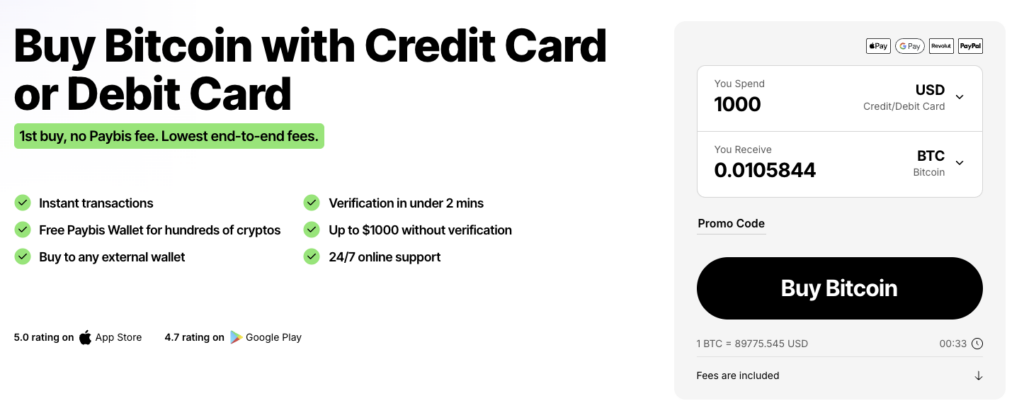
- After creating the order, you will be redirected to Paybis.
- Enter the exact total amount shown in your Gomeisa Labs order.
- Click “Buy Bitcoin”.
- Enter and verify your email address.
- Enter and verify your phone number.
- Choose your preferred payment method:
- Credit Card
- Debit Card
- Apple Pay
- Google Pay
STEP 3 – Send the Payment
- When asked for a wallet, select “External Wallet”.
- Copy and paste the Bitcoin address provided in your Gomeisa Labs order.
- You can find this address:
- In your order details
- In your order confirmation email
- Confirm the transaction.
STEP 4 – Verification
- Paybis may request a quick identity verification (standard security process).
- Keep an eye on your email and respond if Paybis requests any confirmation.
STEP 5 – Confirm Your Payment
- Once the payment is completed, you will receive a confirmation email.
- Log in to your Gomeisa Labs account and click “Confirm Payment” on your order.
⏱️ Payments are usually confirmed within 30 minutes.
🔒 Is This Safe?
Yes. All payments are processed through Paybis, a trusted and secure payment provider.
Gomeisa Labs never stores your card information.
📩 Need Help?
If you have any questions during the process, our support team is ready to assist you.